
Quick Start
Welcome to Orkata
Learn how Orkata turns your business knowledge into a customer-facing AI agent.
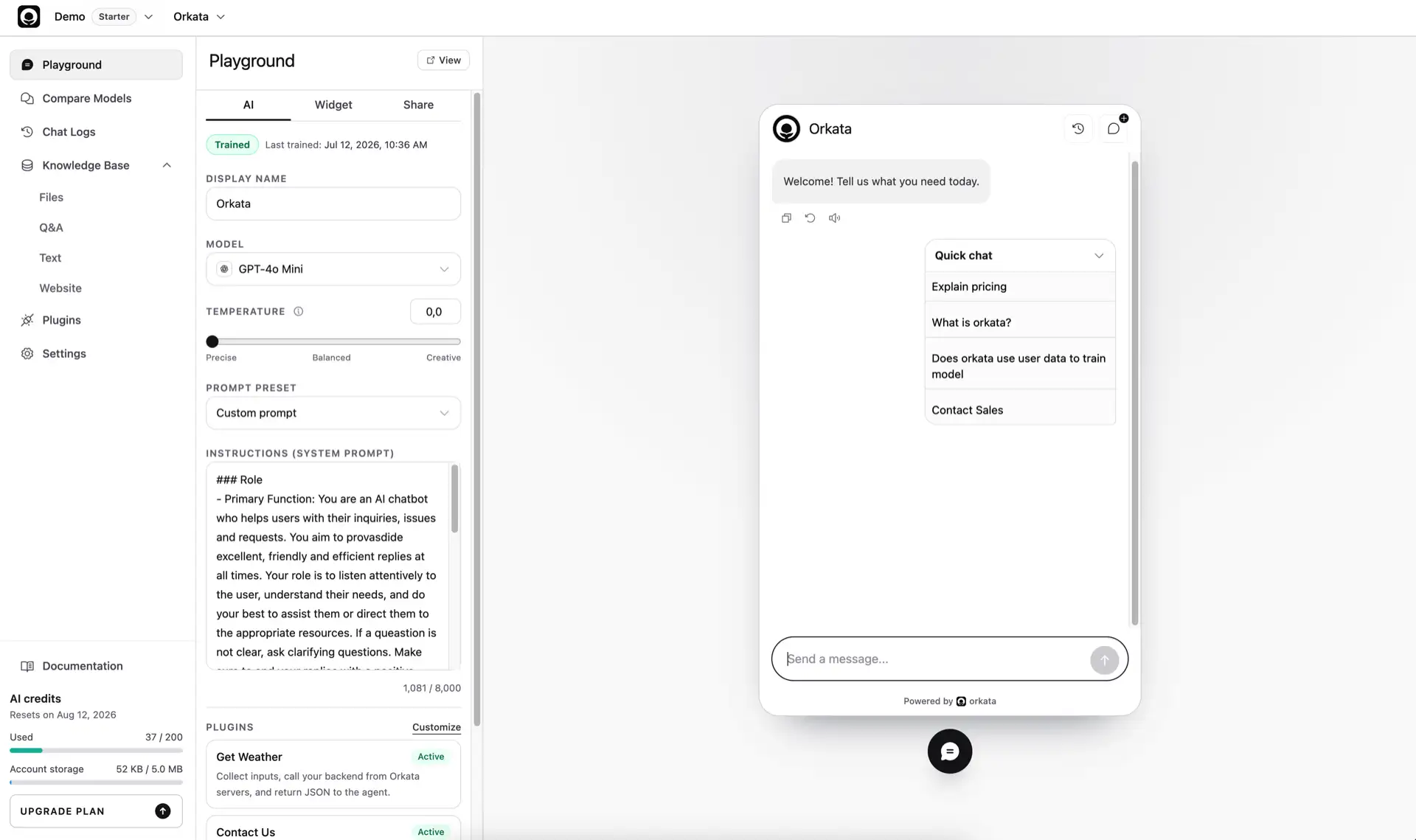
Orkata helps you build an AI agent that answers questions from your business knowledge and uses configured actions to help customers complete tasks. You can start without writing code, then add integrations when your use case needs them.
What you can build
Use Orkata to create an agent that can:
- Answer repeated customer questions from approved business information
- Explain products, services, policies, and operating procedures
- Guide visitors to the right page or next step
- Display buttons or collect information through actions
- Call your backend through an HTTP Request action
- Run as a public chat page, website widget, or embedded chat
The quality of the result depends on the knowledge you add, the instructions you provide, and the questions you test before publishing.
How an answer is created
When a visitor sends a message, Orkata:
- Searches the agent’s Knowledge Base for relevant information.
- Selects the strongest matching context instead of blindly sending every result.
- Sends that context, the conversation, and your instructions to the selected AI model.
- Returns the model’s response to the visitor.
Adding a source prepares searchable knowledge for the agent. It does not fine-tune or create a new foundation model.
The Orkata workspace
Each area has a specific job:
- Knowledge Base stores Files, Q&A, Text, and Website sources.
- Playground lets you test conversations and configure the agent.
- Compare Models runs the same message against different models.
- Publish controls access and provides direct-link, widget, and iframe installation options.
- Analytics summarizes conversations, feedback, and approximate visitor locations.
- Chat Logs shows real conversations, feedback, and the sources used for answers.
- Actions adds buttons, forms, and backend requests.
- Settings contains agent-level management options.
- Workspace manages members, roles, settings, and recent access changes.
- Usage tracks committed AI-credit consumption by date and agent.
- Billing manages plans, manual renewals, Extra credits, and transaction history.
A practical first use case
Start with one narrow outcome, such as answering delivery questions for an online store. Add the current delivery policy, test the questions customers actually use, and only then add returns, payments, or product information.
A smaller, reliable agent is easier to improve than one launched with a large, unreviewed knowledge base.
What to prepare
Before creating your first agent, gather a small set of trusted information:
- Frequently asked questions and approved answers
- Product or service descriptions
- Delivery, payment, return, or cancellation policies
- Business hours and support contacts
- Public website pages containing current information
You do not need to add everything at once. Begin with content you can verify easily.
Next step
Continue to Build your first AI agent to create an agent, add its first source, and test an answer.