
Agent Management
Settings
Review agent identifiers and knowledge usage, delete conversation history, or permanently delete an agent.
Settings shows identifying information for the selected agent and provides destructive data-management actions. AI behavior and widget appearance are configured in Playground, not on this page.
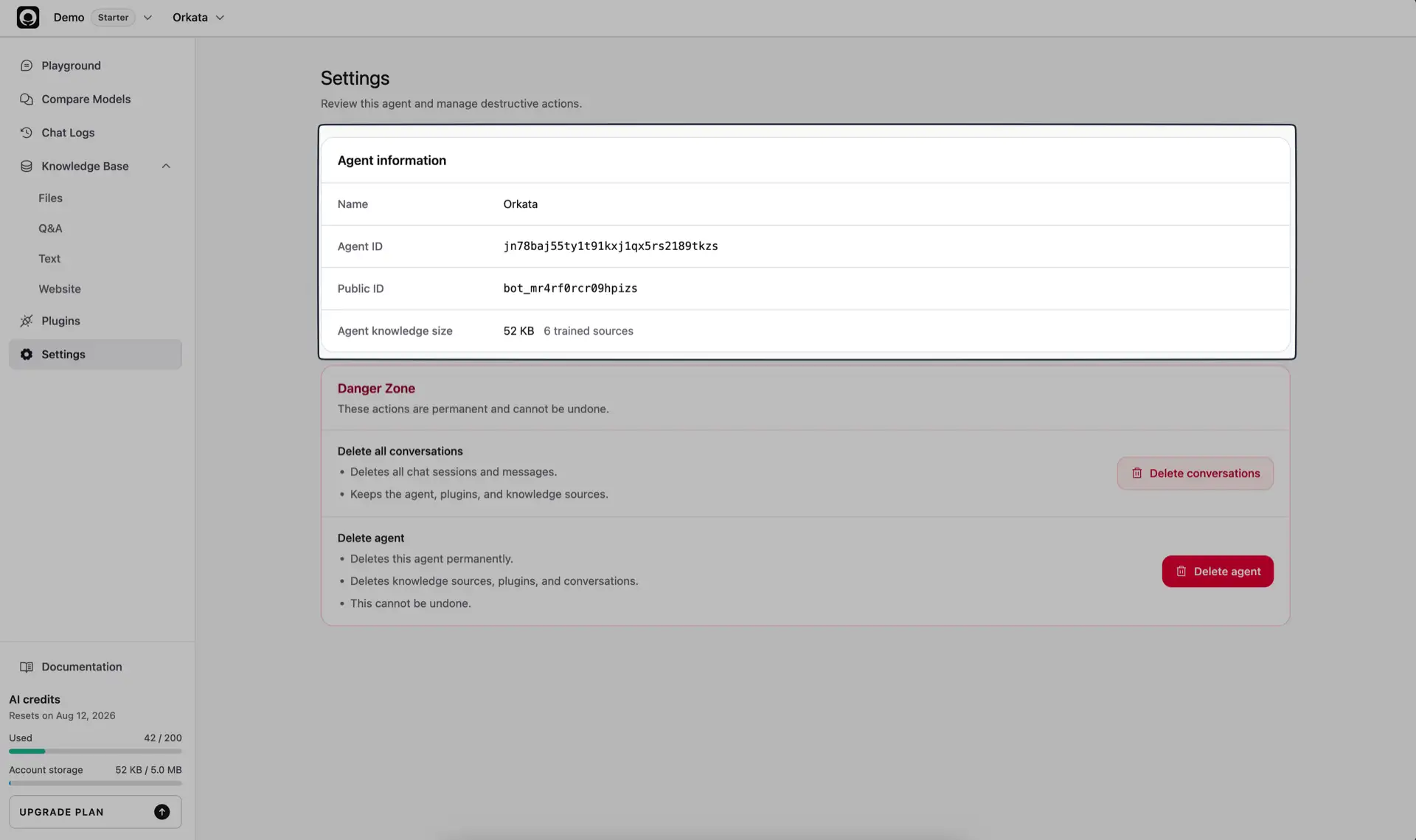
Agent information
The information card shows:
- Name — the agent’s current internal name
- Agent ID — the internal identifier used by Orkata
- Public ID — the identifier used for the public agent and embeds
- Agent knowledge size — storage used by this agent’s sources
- Trained sources — the number of sources currently available for retrieval
Use the Public ID when diagnosing a public link or embed. Include it when contacting support about a specific agent.
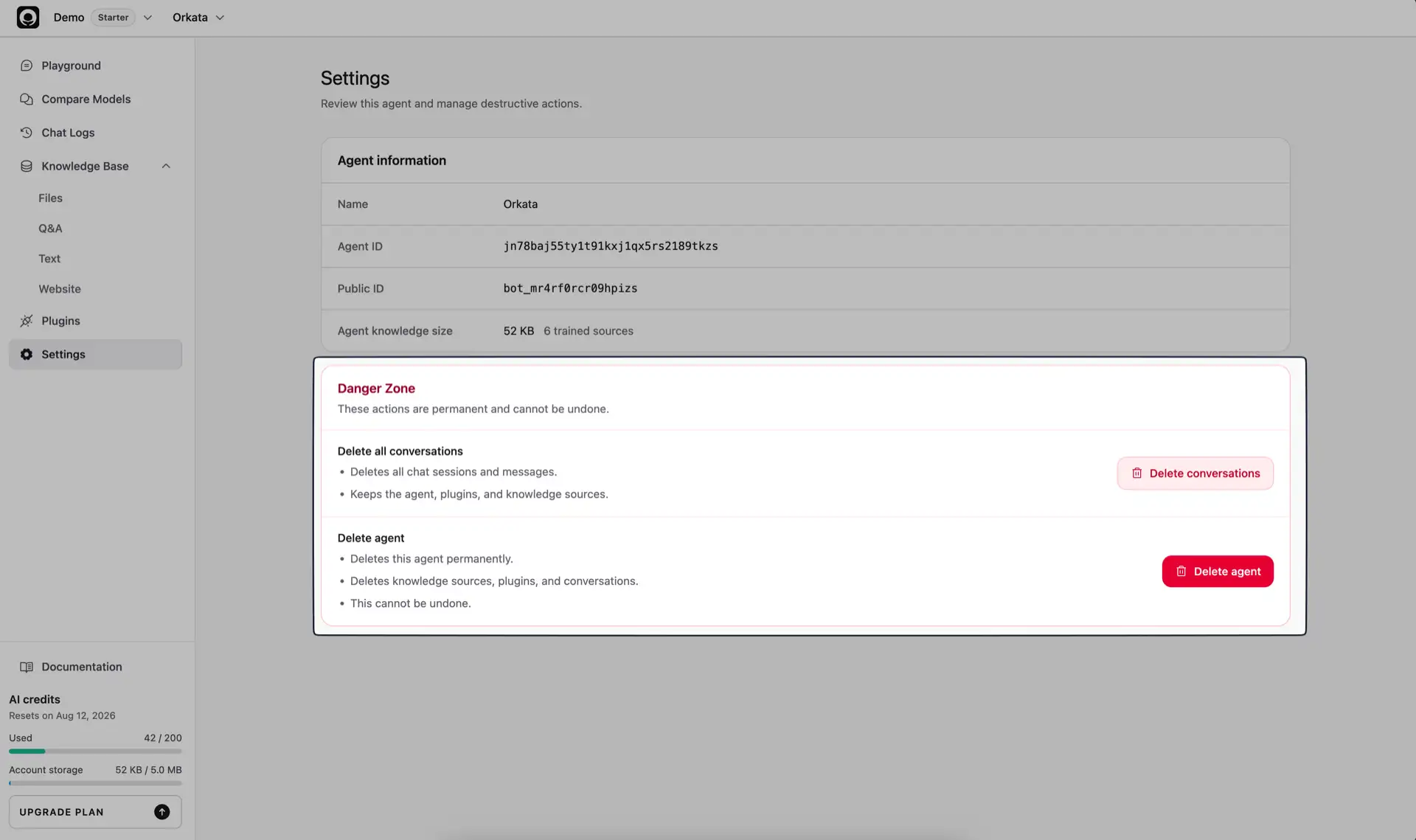
Delete all conversations
Use Delete all conversations when you need to clear the agent’s sessions and messages.
This action deletes:
- Chat sessions
- Visitor messages
- Assistant messages and their stored response details
It keeps:
- The agent
- Knowledge sources and indexed data
- AI and widget configuration
- Actions
After deletion, Chat Logs is empty. The action cannot be undone.
Delete the agent
Use Delete agent only when the agent and all of its associated data are no longer needed.
This permanently deletes:
- The agent
- Knowledge sources and indexed data
- Configured actions
- Chat sessions and messages
- Feedback and approximate visitor metadata stored with those conversations
- Training, website-discovery, and administrative test data for the agent
Public links and website embeds for the deleted agent stop working. This action cannot be undone.
Before deleting data
- Confirm the agent name and Public ID.
- Decide whether you need to remove only conversations or the entire agent.
- Save any business records you are required to retain outside Orkata.
- Inform teammates who manage the agent or its website embed.
- Remove the embed from your website when deleting the agent.
Customer data and model training
Orkata stores customer data to provide the agent service, including sources, searchable knowledge sections, settings, actions, sessions, and messages. During chat, relevant context can be sent to the selected AI model provider to generate a response.
Orkata does not use your knowledge sources, uploaded files, website imports, Q&A content, Text sources, visitor messages, or chat logs to train Orkata-owned AI models.
Deleting a source removes it from the agent’s Knowledge Base and retrieval index. Deleting conversations removes session history, feedback, and visitor metadata while keeping the agent. Deleting the agent removes the complete operational scope described above. Limited billing, usage, security, audit, backup, and legal records may remain where needed for those purposes.
Troubleshooting
The trained source count looks wrong
Open each Knowledge Base page and check for New, Training, or Failed sources. Only sources that completed training are counted as trained.
The knowledge size remains high
Delete unused sources, then refresh Settings after the deletion completes. Account-wide storage shown in the dashboard can include sources from other agents.
Conversation deletion does not remove a source
That is expected. Delete all conversations keeps the Knowledge Base. Delete the source from its source page, or delete the entire agent when everything should be removed.
Continue learning
Return to Playground to configure the agent, or review Best Practices before publishing it to customers.