
Knowledge Base
Text
Add and edit focused business knowledge directly in Orkata without preparing a file.
Use Text for information you want to type and maintain directly in Orkata. It works well for short policies, service details, product notes, announcements, business hours, and other focused reference content.
Create a Text source
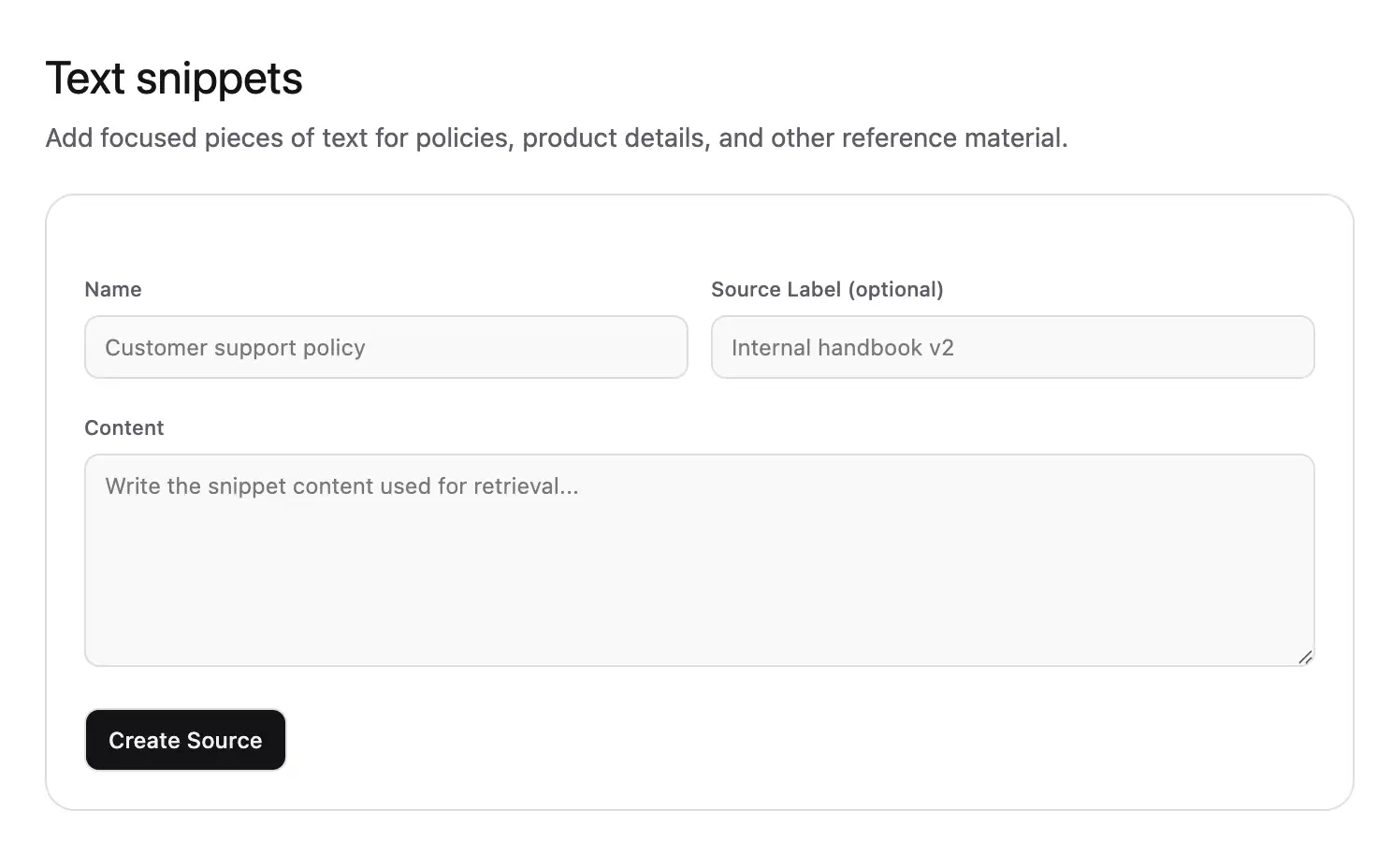
- Open Knowledge Base → Text.
- Select the action to add Text.
- Enter a clear Name.
- Add a Source Label that helps your team recognize its purpose.
- Enter the Content.
- Save the source.
- Retrain the agent and wait for Trained.
Structure the content
Use headings and direct labels when a note contains several related facts:
Delivery coverage
We deliver to addresses within Jakarta, Depok, Tangerang, and Bekasi.

Delivery time
Standard delivery takes 2–4 business days after payment is confirmed.

Delivery questions
Customers who need help with an existing delivery should contact support@example.com.
Avoid placing unrelated topics in the same source. Smaller, clearly named sources are easier to update and help retrieval choose the right context.
Edit a Text source
Open its three-dot menu and select Edit. The source opens in a drawer. Update the name, label, or content, save the change, and retrain.
If you are replacing a policy, remove the obsolete wording instead of appending a conflicting correction at the bottom.
When to use Text instead of Q&A
Choose Text when customers may ask several related questions about one compact policy or reference topic. Choose Q&A when one important question needs a specific approved answer and several known question variations.
For example, a complete delivery policy fits Text. “How long does delivery take?” with one approved response fits Q&A.
Manage Text sources
Select a source by clicking its checkbox or details. Select all applies to the visible page. Use the bulk Delete action when selected sources are no longer needed.
Open the three-dot menu to view, edit, or delete one source. Choose 10, 25, or 50 items per page.
Troubleshooting
A recent edit is not used
Confirm that you saved the drawer, retrained the agent, and the source shows Trained. Then test a fresh message in Playground.
The wrong section is retrieved
Separate unrelated topics into their own sources and add descriptive headings. Replace vague references such as “this service” with the full service name.
The agent combines old and new rules
Search Files, Q&A, Text, and Website sources for the old rule. Update or delete every outdated copy, retrain, and test again.
Next step
Use Website when the source of truth is a public page that should be recrawled after it changes.