
Knowledge Base
Website
Discover, select, import, and recrawl readable content from public HTTPS pages.
Use Website when the current source of truth is published on a public web page. Orkata discovers readable pages, lets you choose what to import, and stores each imported page as its own website source.
Website requirements
The URL must be publicly reachable over HTTPS. If you enter a domain without a protocol, Orkata uses https://.
Orkata can read pages that return HTML or Markdown text. It cannot import:
- Plain HTTP or invalid URLs
- Localhost or private-network addresses
- Pages that require login or a password
- Images, video, audio, or downloadable media as knowledge
- Pages that block access or contain no useful readable text
Discover and import pages
- Open Knowledge Base → Website.
- Enter the public website URL or a direct XML sitemap URL.
- Start discovery and wait while Orkata finds readable pages.
- Review the discovered URLs. Pages are selected initially; deselect anything unrelated.
- Select Train selected to import the chosen pages.
- Wait until the new website sources show Trained.
Discovery follows links up to two levels deep. It also checks sitemap declarations in robots.txt, the conventional /sitemap.xml location, and nested sitemap indexes. If you paste a sitemap URL directly, Orkata discovers the pages listed by that sitemap instead of importing the XML as knowledge.
Sitemap results still follow the website scope you entered. For example, discovery started at /docs ignores sitemap entries outside /docs. Compressed .xml.gz sitemaps are not currently supported.
You can import up to 30 selected pages in one import. A website may expose more discovered pages than can be imported at once, so prioritize pages that contain useful customer information.
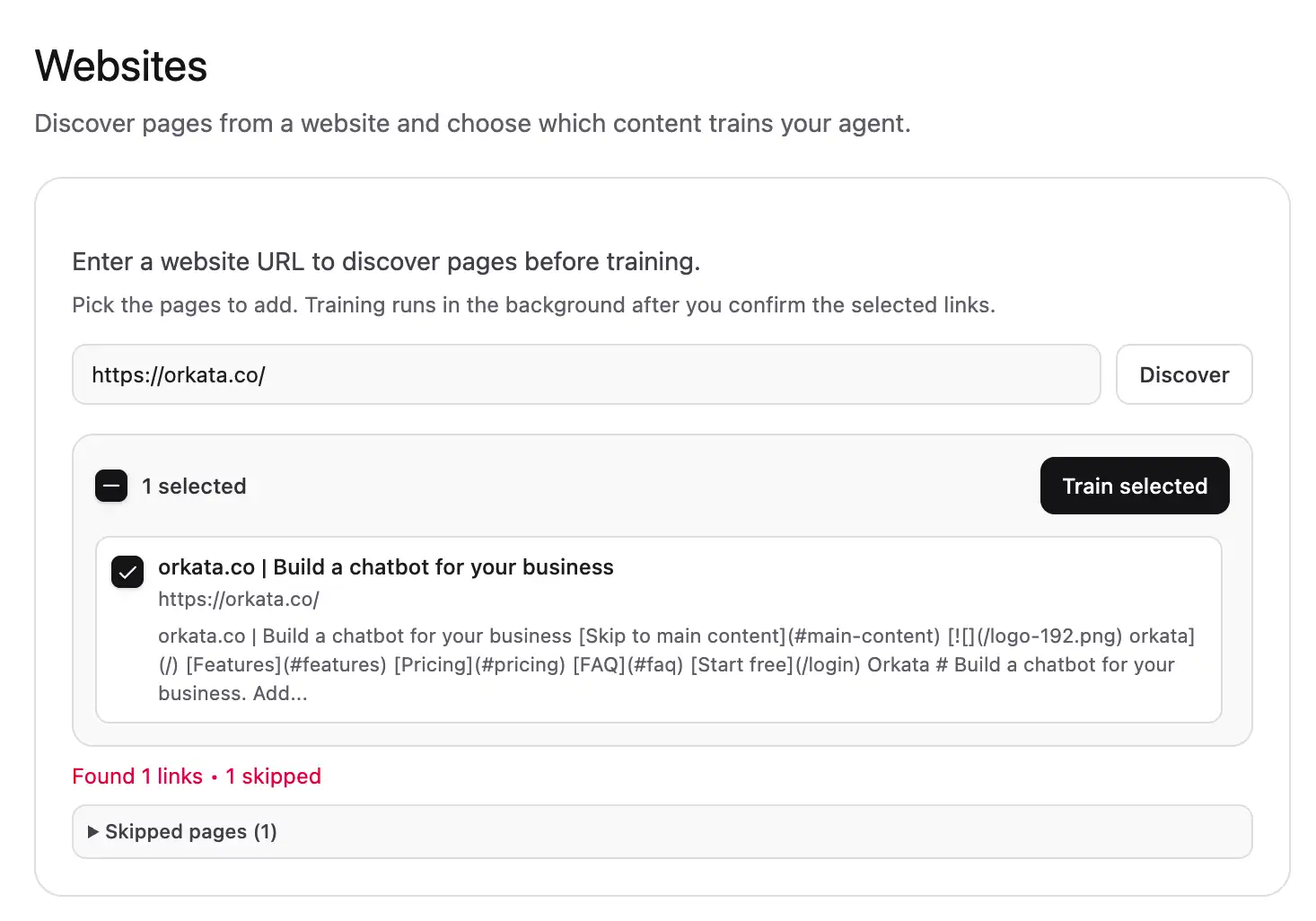
If some pages cannot be read, Orkata can still import the readable selection and show a skipped-page summary.
Choose useful pages
Prefer pages that contain stable, customer-facing information such as services, pricing rules, delivery, returns, support, or frequently asked questions.
Avoid importing navigation-only pages, duplicate print versions, thin campaign pages, legal pages unrelated to customer questions, and many near-identical product filters. More pages do not automatically produce better answers.
Recrawl an existing source
When a public page changes but its URL stays the same:
- Find the source in the Website list.
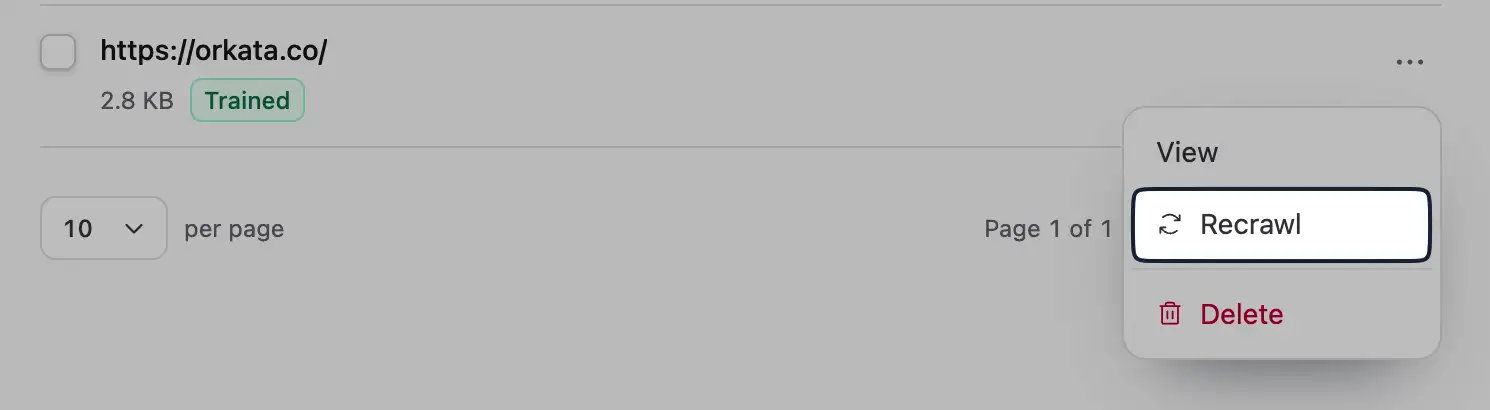
- Open its three-dot menu.
- Select Recrawl.
- Wait for the source to finish training.
- Test the updated information in Playground.
Recrawl fetches the same URL again, replaces its cached text and indexed sections, and queues fresh indexing. If the content moved to a different URL, import the new URL and delete the old source after testing.
Manage website sources
Click an item’s checkbox or details to select it. Select all selects only the current page. Use Delete to remove selected sources.
The three-dot menu provides source-specific actions, including View, Recrawl, and Delete. Choose 10, 25, or 50 items per page.
Troubleshooting
The URL is rejected
Confirm that it is a public HTTPS address. Open it in a private browser window to check that it does not require an account, password, or private network.
No pages are found
The site may render its content only after complex browser scripts, block automated access, or contain no crawlable links or sitemap entries. Try the site’s public sitemap.xml URL. If no readable pages are available, add the important content as Text, Q&A, or a supported file instead.
Some pages are skipped
Skipped pages may be unreachable, duplicated, blocked, too large, or lack useful readable content. Review the summary; readable selected pages can still be imported.
A page changed but the answer did not
Recrawl the source, wait for Trained, and check for another source containing the old information. Then ask a new message in Playground.
Important information is in an image
Website import does not interpret the image as knowledge. Add a text explanation to the page or create a focused Text or Q&A source.
Next step
After your sources are trained, use Playground to test customer questions and missing-information behavior.